Networking admin ELIMINATED
- Telegram
- WhatsApp(coming soon)
- ShmorCRM
- Attio





Everyone you meet, in your CRM before you leave the room.
Send Shmor a screenshot, a business card, a voice note or a LinkedIn link on Telegram, or forward an email to in@emails.useshmor.com. It creates the person and company in ShmorCRM, its built-in micro-CRM, or in Attio or HubSpot, adds a note and a follow-up task, and asks about anything it could not work out. WhatsApp is coming soon.
14 days free, 25 captures, no card.

How it works
Set up once. Then just send.
- 01
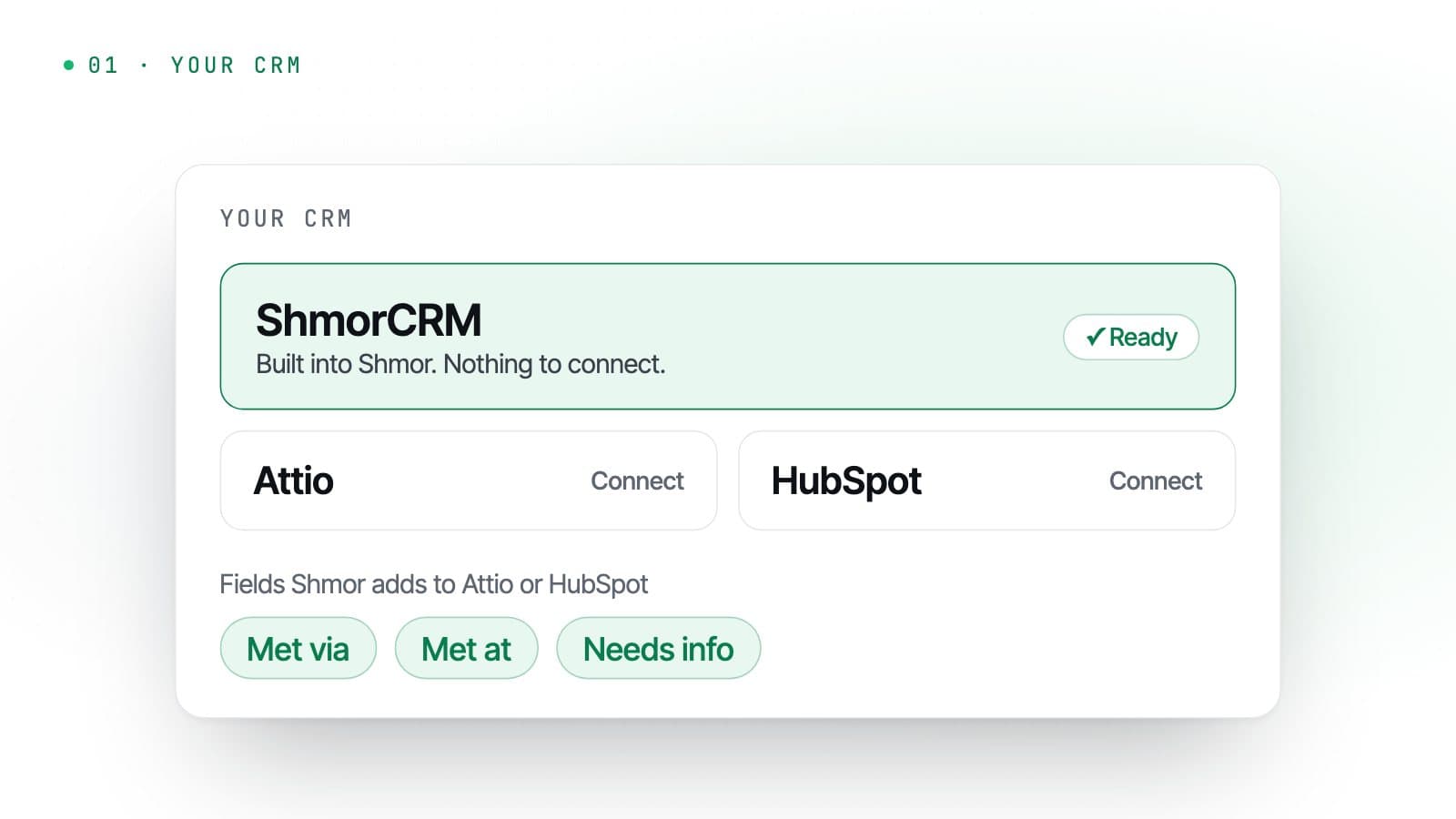
Start in ShmorCRM, or connect your CRM
New accounts start with ShmorCRM, a simple micro-CRM built into Shmor, so there is nothing to connect. When you are ready, connect Attio or HubSpot instead: Shmor adds the few fields it uses, such as how you met, and leaves the rest of your setup alone.
- 02
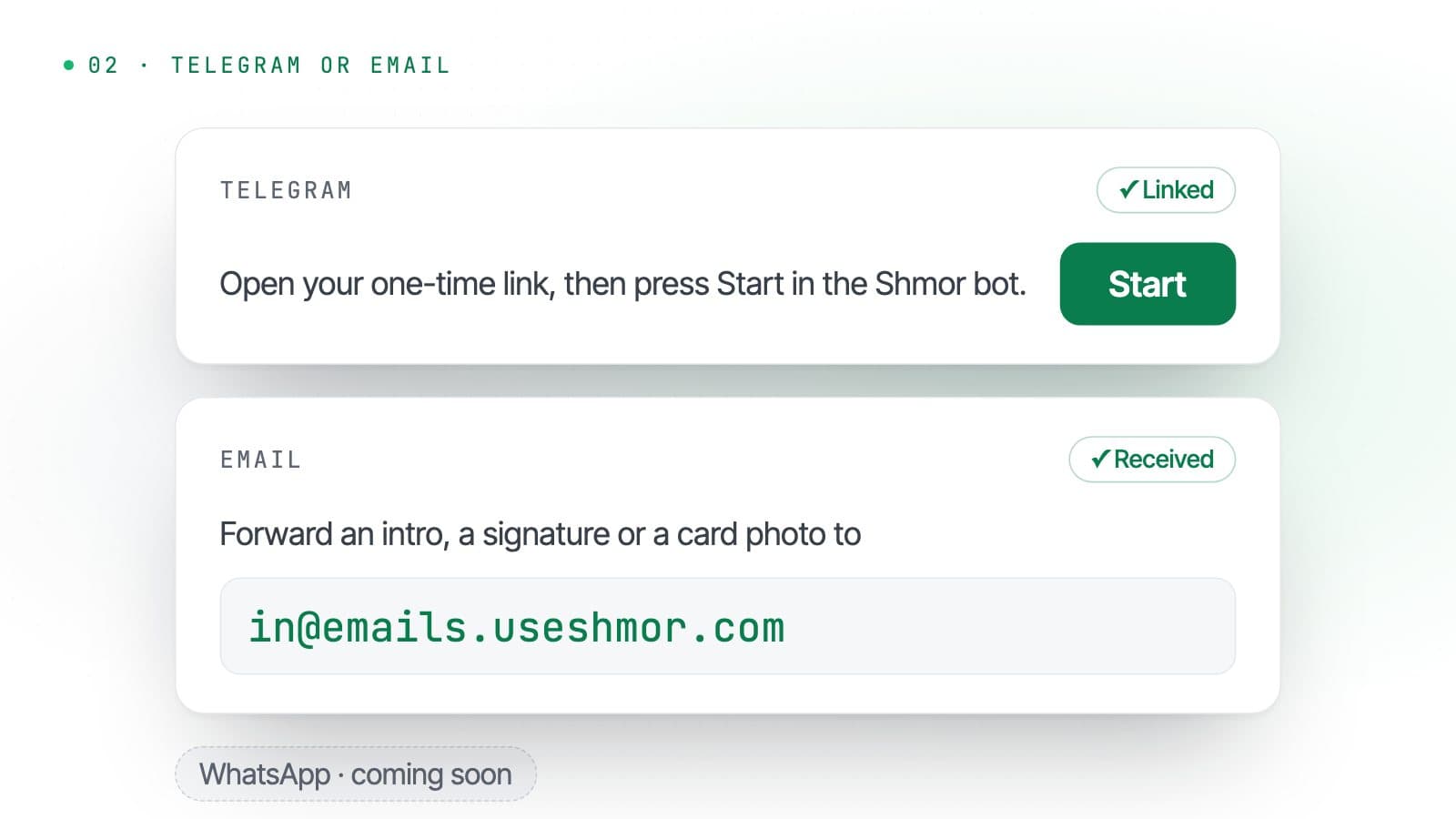
Link Telegram, or forward an email
Open a one-time link from your account and press Start in the Shmor bot. From then on, Shmor knows the messages from that account are yours. Or forward an email to in@emails.useshmor.com from your account email. WhatsApp is coming soon.
- 03
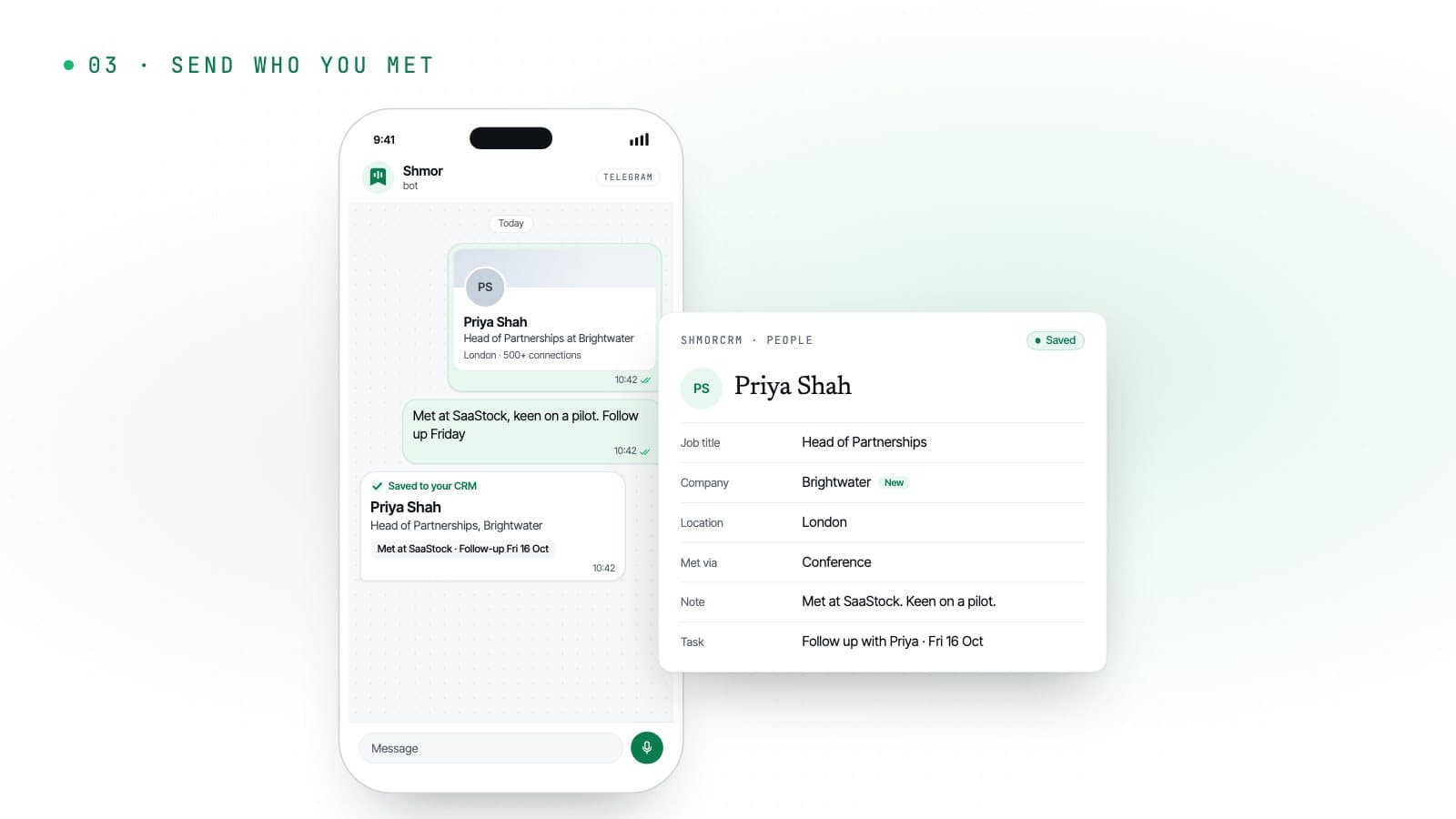
Send whoever you just met
A screenshot, a photo of their card, a voice note on the way out. Shmor replies with the contact it saved, sets the follow-up and asks about anything it could not work out.
What you can send
Whatever you have in your hand.
On their own or together. Send a screenshot, then reply to Shmor’s card with a voice note about the conversation, and both go on the same record.
Profile screenshot
LinkedIn, X or an event app. Shmor reads the name, title and company.
Business card
A quick photo. Name, role, company, email and phone number, straight into the record.
Forwarded email
Forward an intro, a LinkedIn notification or an email signature to in@emails.useshmor.com, with up to 5 attachments.
Voice note
Say where you met, what they need and when to follow up. Up to 2 minutes per capture.
LinkedIn link
Paste a profile link and Shmor looks it up with your own Apollo key.
A quick text
“Met Tom from Acme at the Leeds meetup, wants a quote, chase next week.”
After the capture
The follow-up is already in your CRM.
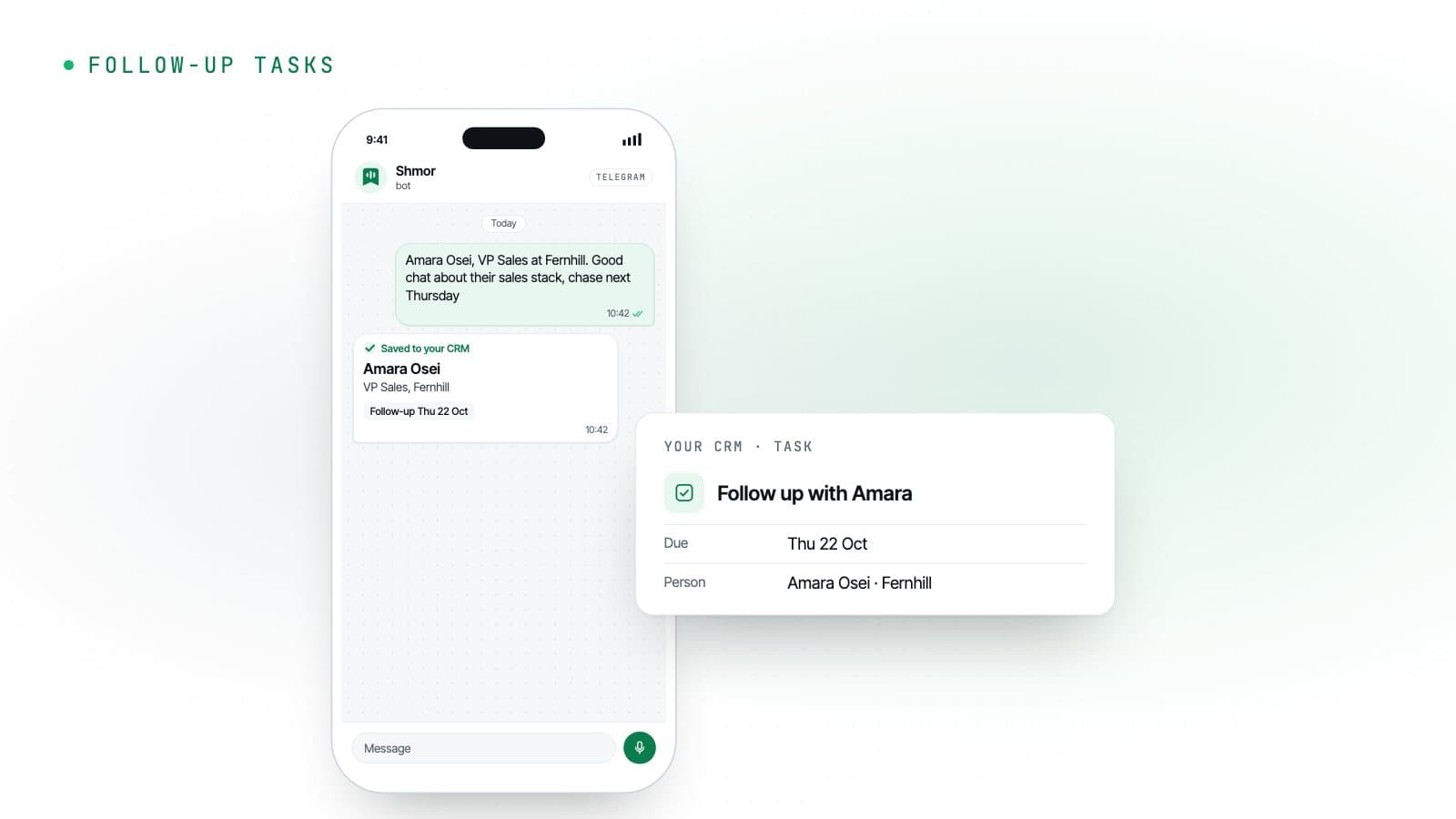
Every capture can leave a task behind, so the people you meet do not go cold. On Pro, the ones that sound like business become deals.
Follow-ups that set themselves
“Chase next Thursday” becomes a task due next Thursday, on the person in your CRM. With no date, it is due after your default number of days, skipping weekends if you prefer.
- Due dates from your words
- Default days
- Skip weekends
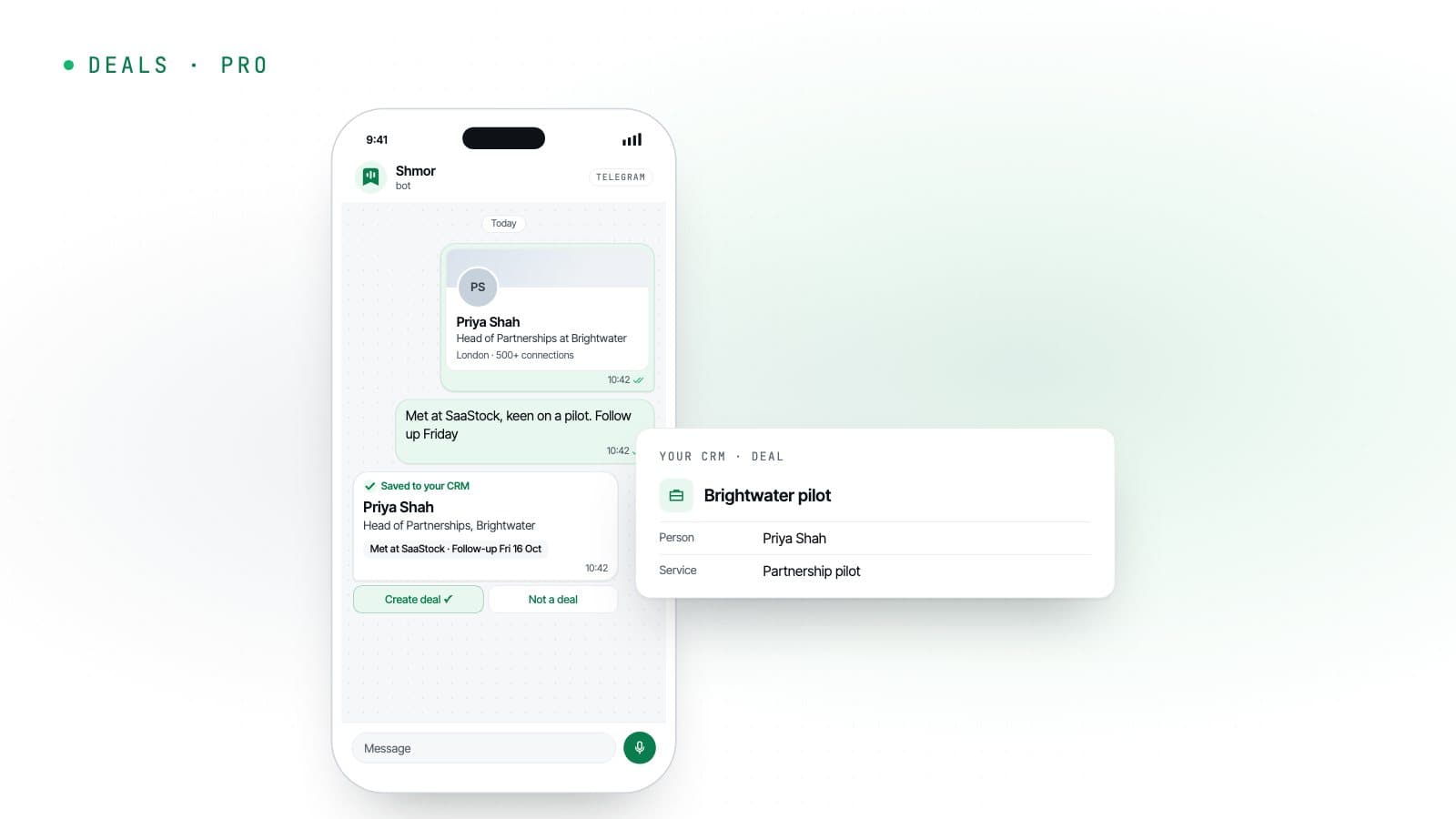
Deals in one tap
When a conversation sounds like an opportunity, tap Create deal on Shmor’s reply and the deal is added with the person and the service it is about.
- Pro
- Create deal
- Your services
Works with
Your CRM, from the apps you already have open.
Your CRM
- ShmorCRM
- Attio
One per account. Start in ShmorCRM, built in, then connect Attio or HubSpot when you are ready.
How you send
- Telegram
- WhatsApp(coming soon)
Telegram and email today. WhatsApp is coming soon.
Optional: LinkedIn lookups
Paste a profile link and Shmor looks it up with your own key.

Logos are trademarks of their owners; Shmor is not affiliated with or endorsed by them.
Your contacts, kept where you choose.
With Attio or HubSpot connected, Shmor passes each contact through to your CRM and keeps only what it needs to do its job. With ShmorCRM, Shmor stores your contacts for you until you delete them.
- With Attio or HubSpot, Shmor keeps record IDs, message IDs, counts and timestamps, not your contacts
- In ShmorCRM, text only: never your photos or voice notes. Export or delete records at any time, or auto-delete them after 6, 12 or 24 months
- CRM sign-ins are encrypted at rest; an Apollo key cannot be read back, even by you
- Built and run in the UK, under UK GDPR
Pricing
From £9 a month.
14 days and 25 captures free, no card. Prices exclude VAT.
Solo
£9a month
For founders and networkers who meet people every week.
100 captures a month
Up to 500 ShmorCRM records
Pro
£19a month
For consultants and dealmakers living at events.
300 captures a month
Up to 5,000 ShmorCRM records
Yearly billing gets you 2 months free. Need more in a busy month? 50 extra captures cost £5.
Compare plansFAQ
Questions
Billing questions are on the pricing page.
Which CRMs and chat apps does Shmor work with?
What is ShmorCRM?
Does Shmor store my contacts?
Can I forward emails to Shmor?
What happens when Shmor cannot work something out?
Can I send a LinkedIn link instead of a screenshot?
What counts as a capture?
Is there a free trial?
Try it at your next event.
14 days and 25 captures free, no card. Three steps and you are capturing contacts.